
概要
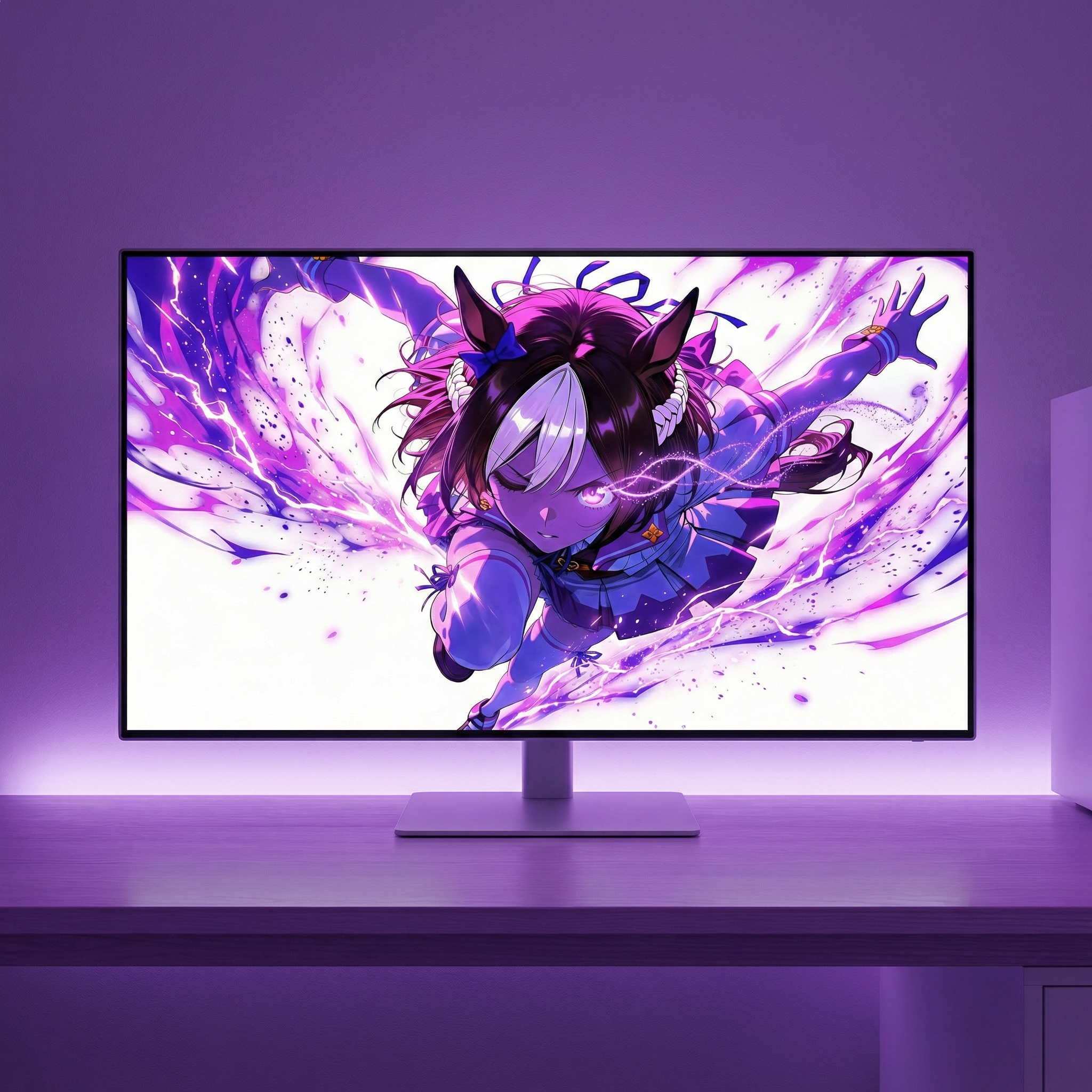
Xのフォロワー10,000人記念イラストでモザイク絵を作成した。
本記事では作成条件や作成過程を記述していく。
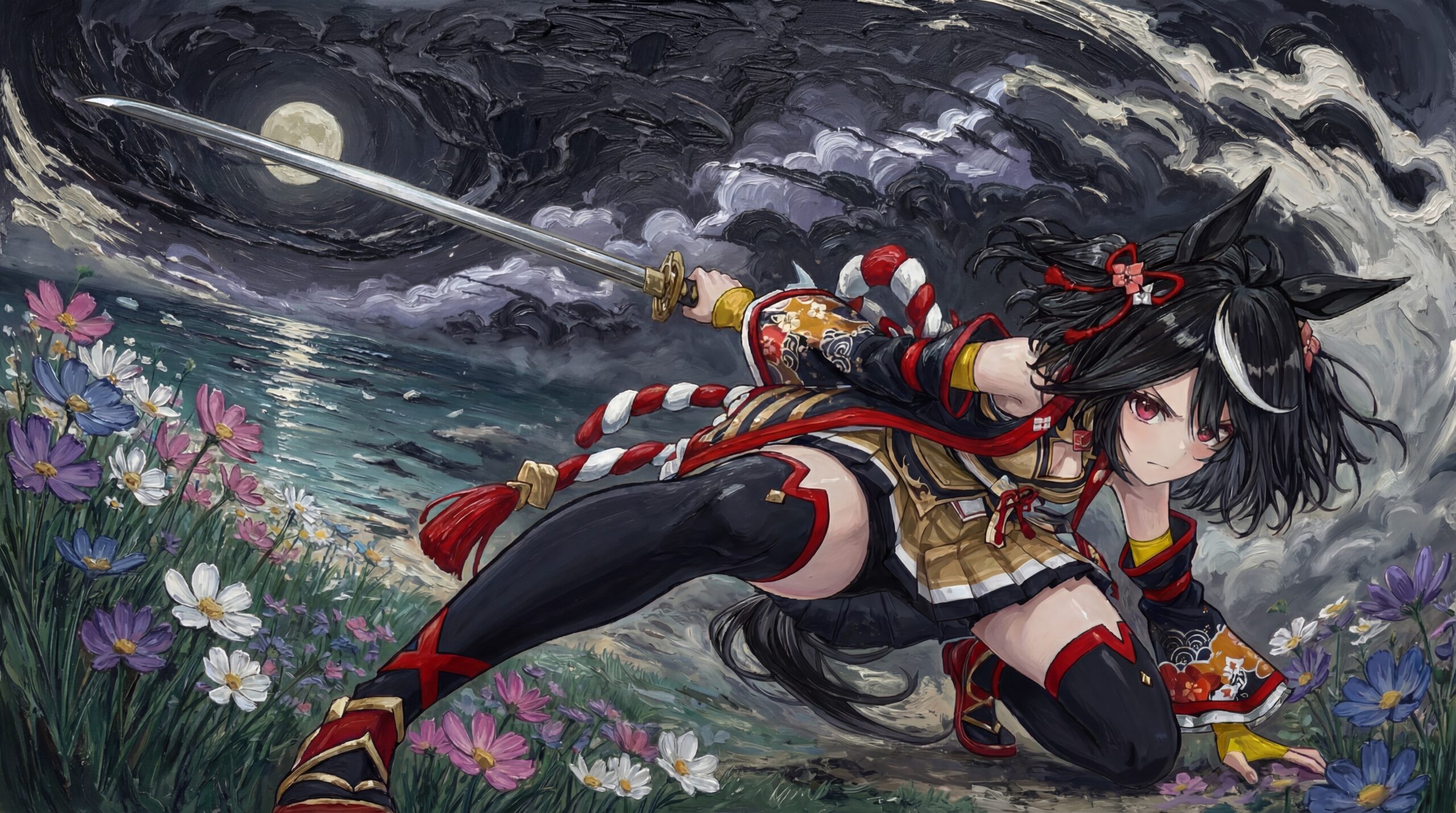
使用したイラスト
| イラスト | 説明 |
 | 元絵 4096 * 4096 |
 | モザイクに埋め込んだ画像の例 796 * 796 同様の画像が1552枚あり、それを埋め込んでいった。 |
作成条件
モザイク絵作成における処理条件・仕様
- 元絵を 112 × 112 のグリッドに分割する
- 各グリッドごとに 色情報を特徴量として算出する
- 特徴量の算出には Lab 色空間を使用する
- モザイクに使用する **素材画像(約1550枚)**についても、同様に特徴量を算出する
モザイク画像の選択・配置ロジック
- 各グリッドの特徴量に対して、
色差が最も近い素材画像を候補として選択する - 選択された素材画像は、
該当グリッドのサイズに縮小して当てはめる - グリッドの埋め順は ランダムに選択する
- 同一画像が近接して並ぶのを避けるため
素材画像の使用制限
- 同一素材画像の使用回数には上限を設ける
- 1画像あたり最大10回まで使用可能とする
- grid数が12,544に対し素材画像が約1552枚のため
- 使用回数の上限に達した画像は、以降の候補から除外する
その他条件
- 元絵において 白に近いグリッドはモザイク対象外とする
- 白背景部分には画像を当てはめず、そのまま残す
作成
LLMに聞く
上記条件を chatGPT に流してプログラムを作成してもらう
コード
グリッド数を 112 としたため、画像サイズは 4032 * 4032 になった。(112 * 36 = 4032)
#!/usr/bin/env python3
# -*- coding: utf-8 -*-
"""
Mosaic generator (GRID FIXED = 96 x 96, reuse limit = 6, randomized fill)

- Python 3.10+ (Python 3.14 OK)
- Pillow + numpy only
- Target image is divided into 96x96 cells
- Tile images are loaded from a directory (~1500 images)
- Each tile image can be used at most 6 times
- Cells are filled in randomized order to avoid adjacency repetition
- Color matching uses CIE Lab
- Optional: skip near-white target cells
"""

import argparse
from pathlib import Path
import numpy as np
from PIL import Image
import random

GRID = 112
REUSE_LIMIT = 10

# ---------- Color conversion (sRGB -> Lab, D65) ----------
def srgb_to_linear(c):
    c = c / 255.0
    return np.where(c <= 0.04045, c / 12.92, ((c + 0.055) / 1.055) ** 2.4)

def rgb_to_xyz(rgb):
    r, g, b = rgb[..., 0], rgb[..., 1], rgb[..., 2]
    X = r*0.4124564 + g*0.3575761 + b*0.1804375
    Y = r*0.2126729 + g*0.7151522 + b*0.0721750
    Z = r*0.0193339 + g*0.1191920 + b*0.9503041
    return np.stack([X, Y, Z], axis=-1)

def f_lab(t):
    delta = 6 / 29
    return np.where(t > delta**3, np.cbrt(t), (t / (3 * delta**2)) + 4 / 29)

def xyz_to_lab(xyz):
    Xn, Yn, Zn = 0.95047, 1.00000, 1.08883
    x = xyz[..., 0] / Xn
    y = xyz[..., 1] / Yn
    z = xyz[..., 2] / Zn
    fx, fy, fz = f_lab(x), f_lab(y), f_lab(z)
    L = 116 * fy - 16
    a = 500 * (fx - fy)
    b = 200 * (fy - fz)
    return np.stack([L, a, b], axis=-1)

def rgb_to_lab(rgb_255):
    lin = srgb_to_linear(rgb_255.astype(np.float32))
    xyz = rgb_to_xyz(lin)
    return xyz_to_lab(xyz)

# ---------- Image helpers ----------
def composite_over_white(im):
    if im.mode in ("RGBA", "LA"):
        bg = Image.new("RGBA", im.size, (255, 255, 255, 255))
        bg.alpha_composite(im)
        return bg.convert("RGB")
    return im.convert("RGB")

def center_crop_square(im):
    w, h = im.size
    if w == h:
        return im
    s = min(w, h)
    return im.crop(((w - s)//2, (h - s)//2, (w + s)//2, (h + s)//2))

def average_lab(im):
    small = composite_over_white(im).resize((8, 8), Image.BILINEAR)
    arr = np.asarray(small, dtype=np.uint8).reshape(-1, 3)
    return rgb_to_lab(arr).mean(axis=0)

def load_tiles(tile_dir, tile_px):
    exts = {".png", ".jpg", ".jpeg", ".webp"}
    labs, imgs = [], []
    for p in sorted(Path(tile_dir).rglob("*")):
        if p.suffix.lower() not in exts:
            continue
        im = Image.open(p)
        im = composite_over_white(im).resize((tile_px, tile_px), Image.LANCZOS)
        labs.append(average_lab(im))
        imgs.append(im)
    if not imgs:
        raise RuntimeError("No tile images found")
    return np.vstack(labs).astype(np.float32), imgs

def is_white_cell(lab, white_L, white_ab):
    L, a, b = lab[:, 0], lab[:, 1], lab[:, 2]
    return (L >= white_L) & (np.sqrt(a*a + b*b) <= white_ab)

# ---------- Main ----------
def main():
    ap = argparse.ArgumentParser()
    ap.add_argument("--target", required=True)
    ap.add_argument("--tiles_dir", required=True)
    ap.add_argument("--out", default="mosaic.png")
    ap.add_argument("--output_size", type=int, default=4096)
    ap.add_argument("--skip_white", action="store_true")
    ap.add_argument("--white_L", type=float, default=95.0)
    ap.add_argument("--white_ab", type=float, default=8.0)
    ap.add_argument("--seed", type=int, default=None, help="Random seed (optional)")
    args = ap.parse_args()

    if args.seed is not None:
        random.seed(args.seed)
        np.random.seed(args.seed)

    if args.output_size % GRID != 0:
        raise SystemExit("output_size must be divisible by 112")

    tile_px = args.output_size // GRID
    cells = GRID * GRID

    tile_labs, tile_imgs = load_tiles(args.tiles_dir, tile_px)
    n_tiles = len(tile_imgs)
    use_count = np.zeros(n_tiles, dtype=int)

    print(f"Tiles: {n_tiles}, grid={GRID}x{GRID}, tile_px={tile_px}, reuse_limit={REUSE_LIMIT}")

    # Target processing
    target = Image.open(args.target)
    target = composite_over_white(center_crop_square(target))
    target_small = target.resize((GRID, GRID), Image.LANCZOS)

    targ_lab = rgb_to_lab(np.asarray(target_small, dtype=np.uint8).reshape(-1, 3))

    skip = np.zeros(cells, dtype=bool)
    if args.skip_white:
        skip = is_white_cell(targ_lab, args.white_L, args.white_ab)
        print(f"Skip-white cells: {skip.sum()} / {cells}")

    # Randomized cell order
    order = list(range(cells))
    random.shuffle(order)

    idx = np.full(cells, -1, dtype=int)

    for i in order:
        if skip[i]:
            continue

        penalty = (use_count >= REUSE_LIMIT) * 1e9
        d = ((tile_labs - targ_lab[i])**2).sum(axis=1) + penalty

        # choose among top-k to add randomness
        k = 5
        candidates = np.argsort(d)[:k]
        chosen = int(random.choice(candidates))

        idx[i] = chosen
        use_count[chosen] += 1

    # Compose output
    out = Image.new("RGB", (args.output_size, args.output_size), (255, 255, 255))
    k = 0
    for y in range(GRID):
        for x in range(GRID):
            if idx[k] >= 0:
                out.paste(tile_imgs[idx[k]], (x * tile_px, y * tile_px))
            k += 1

    out.save(args.out)
    print(f"Saved: {args.out}")

if __name__ == "__main__":
    main()
実行
- –target: 元絵のイラストパス
- –tiles_dir: 当てはめていく画像が格納されているフォルダのパス
- –out: アプトプットする画像パス
- –output_size: アプトプット画像の縦・横サイズ(pixel数)
- –skip_white: 白に近いグリッドをスキップするかどうか
- –white_L: 明度成分のしきい値
- –white_ab: a / b 成分(色味)の許容範囲
(white_L, white_ab は正直理解してません。)
python mosaic.py --target input_image.jpg --tiles_dir ./tiles --out output_image.png --output_size 4032 --skip_white --white_L 95 --white_ab 8まとめ
画像処理系はほぼ知識なしでしたがLLMがあれば何でもできますね。
コメント